Welcome
Build a Bootstrap 5.3 website by dragging and dropping, then export it as plain HTML, CSS and JavaScript.
Bootstrap Website Builder is an app for making websites. You put components on a page (a navbar, a heading, a card, a form), change their settings in a side panel, and see the result at once. When you are happy, you export the site as an ordinary folder of files that you can put on any web host.
It is built on Bootstrap 5.3, so everything you make is responsive: it adapts to phones, tablets and computers.
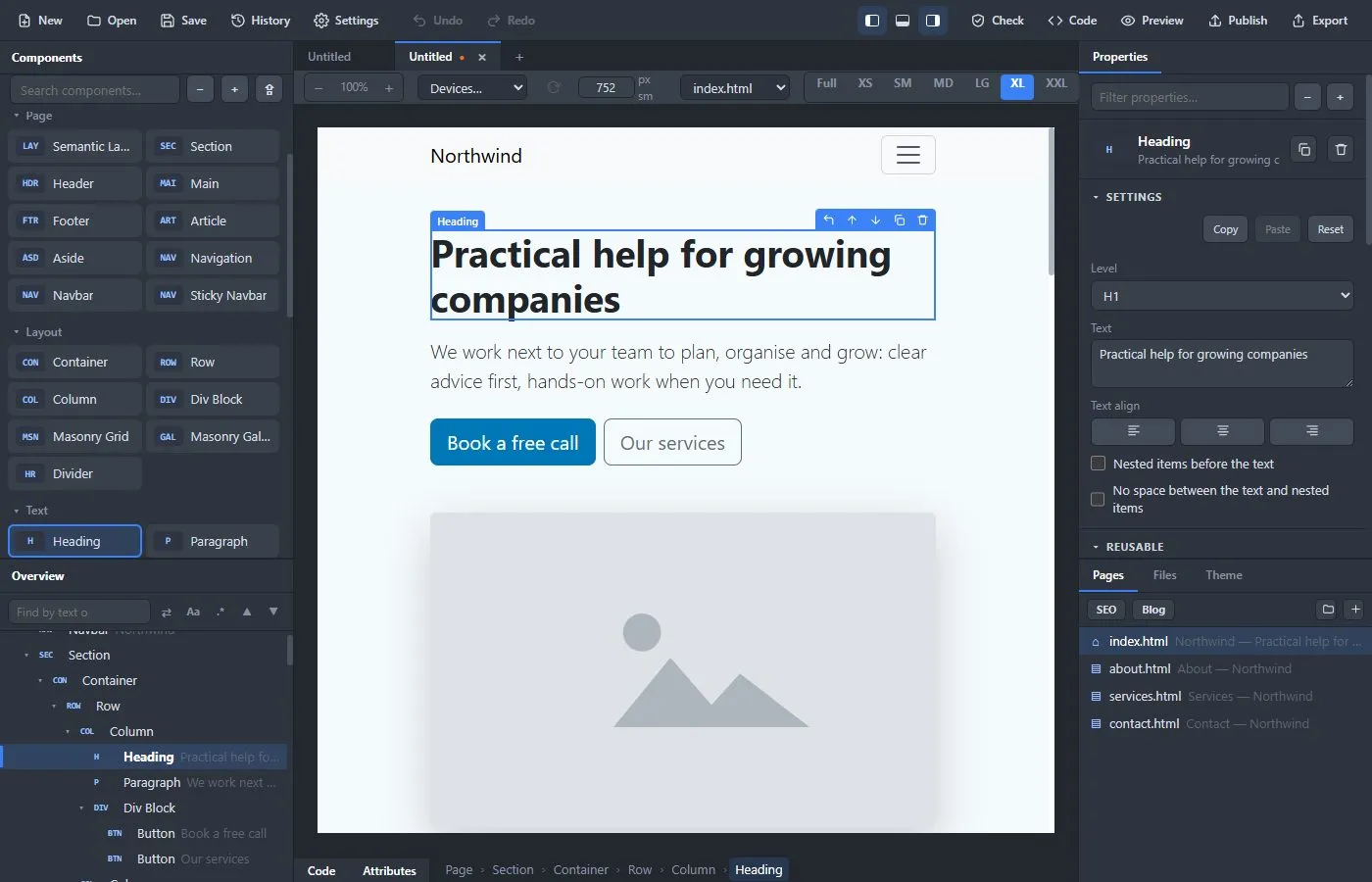
What you can do with it #
- Start from one of fourteen ready-made starter sites (a business, a landing page, a portfolio, a café, a blog, an event, a shop, a documentation site, a coming-soon page, a personal CV, a photographer, a local service such as a hair studio, a non-profit, and Orbit, an admin dashboard with a sidebar, charts and a users table; Orbit is a design only, with no login or database, and its tables and charts can read from your own API), or from a blank page.
- Build pages from more than 130 components and ready-made blocks, 36 of which are whole page sections such as heroes, pricing tables and footers.
- Change colors, fonts and the overall look in a few clicks.
- Write your own CSS and JavaScript when you want to, in a real code editor.
- Add a blog, translate the site into other languages, and check it for common mistakes.
- Export the site, or publish it straight to your web server.
What you get #
A website made with the app is just files: one HTML file per page, a stylesheet, Bootstrap itself and your pictures. There is no server to run and nothing that locks you in. Your project (the thing you keep working on) is a single .bsb file that you can save, copy and send to someone else.
Desktop app and web demo #
The app exists in two forms. Both are the same editor.
| Desktop app | Web demo | |
|---|---|---|
| Where | Windows, Linux and Mac | Any modern browser |
| Projects | Saved as .bsb files on your disk | Kept in the browser; Save downloads a .bsb file |
| Export | Writes a folder of files | Downloads a .zip |
| Publish to a server (SFTP / FTP) | Yes | No |
| Import Bootstrap Studio designs and HTML templates | Yes | No |
| Add Google Fonts and your own font files | Yes | No |
| Automatic translation with DeepL | Yes | No |
| Automatic updates | Yes | Always the newest version |
How these docs are organised #
- Start: install the app and build your first site.
- Build: the editor, components, design and code.
- Content: blogs and languages.
- Publish: check, export and publish.
- Reference: shortcuts, files and formats, and questions and answers.
A note on keys and menus #
Keyboard shortcuts are written for Windows and Linux. On a Mac, use Cmd (⌘) where the docs say Ctrl. Menu items are written as File → Save. Inside the app you can press ? at any time to see every shortcut.